Most one-on-ones die the same death: they turn into status updates. The manager asks "how's the project going?", the report narrates their ticket queue, and the one meeting designed for the things that don't fit anywhere else — friction, feedback, career — never gets to them. The fix is a template both people can see, with the report's topics first and status pushed out entirely. This post gives you the core template, variants for first meetings and career check-ins, and a question bank for when the agenda runs dry. (For general-purpose meeting documentation, see our meeting notes template instead — a 1:1 is a different animal.)
The core weekly 1:1 template
Copy this into a shared doc — one running document per person:
1:1 — [name] & [name] | Date: [date]
Check-in (2 min): how are you, actually? [energy, workload, life-things that affect work]
Your topics (15 min): [the report adds these through the week — blockers, decisions needed, worries, ideas. This section goes first and the report leads it.]
Feedback, both ways (5 min):
— One thing that went well since last time: [specific]
— One thing to adjust: [specific, actionable]
— What could I (manager) do differently? [ask it every time; the first ten answers will be "nothing"]
Career & growth (5 min): [progress on one goal — a skill, a project they want, visibility. Five minutes weekly beats a panicked annual conversation.]
Actions (3 min):
— [ ] [action] — [owner] — [by when]
— Carried from last time: [check them — this is what makes the meeting compound]
Two rules make it work. Status is banned — it has standups and written updates; the 1:1 is for what doesn't get said elsewhere. And the same doc persists — a running history of topics, feedback, and commitments is how you notice a blocker that's been raised three times, and it writes your performance reviews for you.
Variant: the first 1:1 with a new report
The first meeting sets the contract, not the agenda. Swap the middle sections for:
- How do you like to work? [feedback style, focus hours, how they want to receive praise and criticism]
- What should I know that the org chart doesn't say? [history, strengths they feel underused on, landmines]
- What does success look like for you here? [six months and two years — write it down; revisit in the career slot]
- Logistics: [cadence, length, who owns the doc — agree on the template itself]
Variant: the monthly career check-in
Once a month, let the career slot take over the whole meeting: progress against the goals from that first 1:1, one skill to build next, one piece of work that would demonstrate it, and what the manager will do about visibility — an intro, a project, a stage. If every 1:1 is operational, schedule this one separately; it's the meeting reports remember.
A question bank for when the agenda runs dry
- What's the most frustrating part of your week right now?
- If you owned this team for a month, what would you change first?
- What are you not getting to that you wish you were?
- Where do you feel out of the loop?
- What's something I should stop doing?
- Who on the team deserves recognition they haven't gotten?
- What part of your job would you happily hand off — and what would you take more of?
One good question, actually listened to, beats covering the whole list. These exist to break the status-update gravity, not to become an interrogation script.
Capturing 1:1 notes without breaking the conversation
The template only compounds if the actions and commitments actually get written down — and typing through a trust-building conversation undermines it. A few practices that keep note-taking light:
- Note decisions and actions only, live. The doc is an agenda, not a transcript — a line per commitment is enough.
- Fill in details right after the meeting, while it's fresh — two minutes, not twenty.
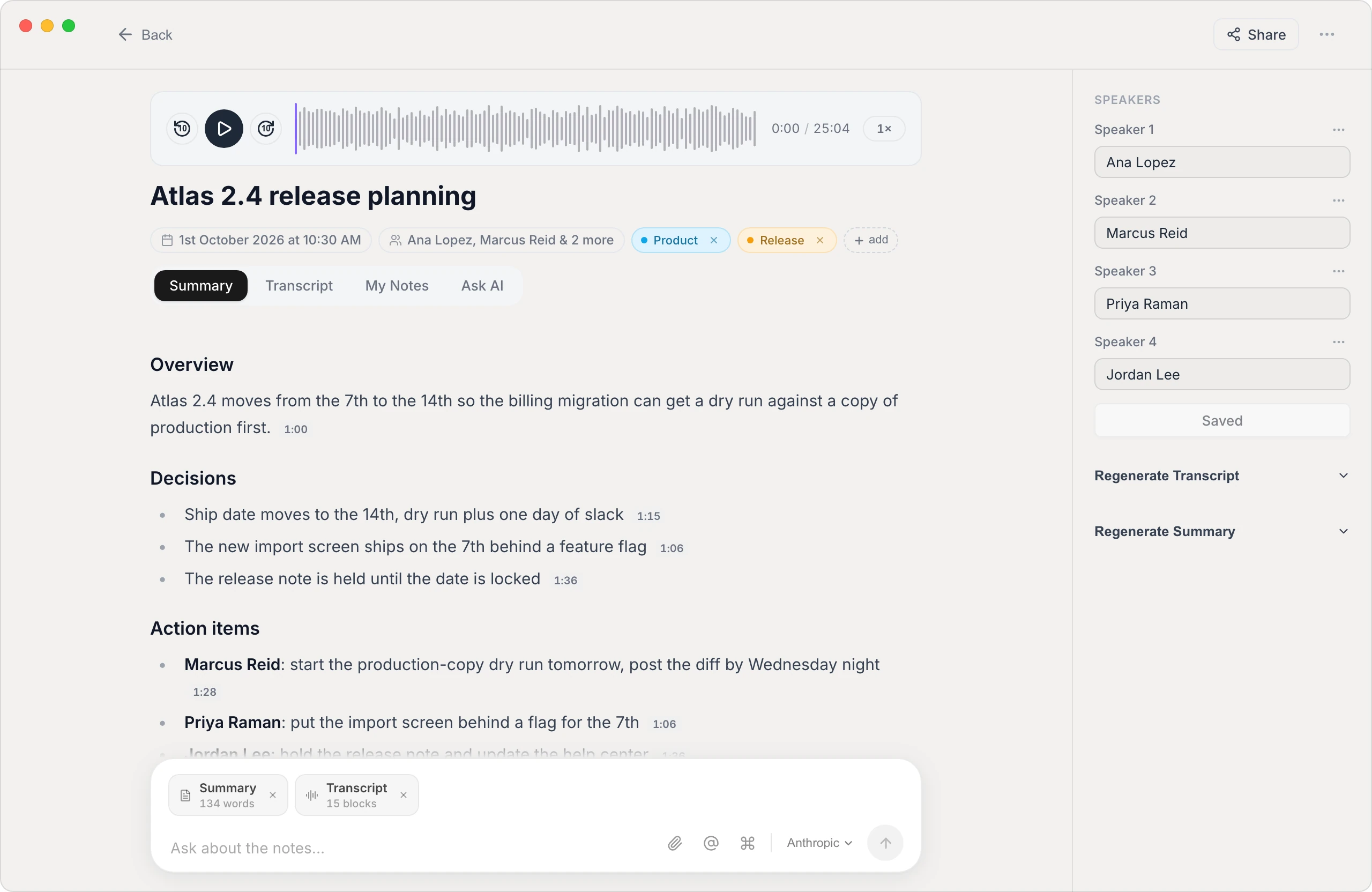
- If you both want fuller notes, use an on-device tool. Vowen records and transcribes on your own computer — no bot joins the call and audio isn't uploaded to a cloud service, which matters more in a 1:1 than in any other meeting. Its summary templates can mirror the structure above, so every 1:1 ends with the actions and career notes already drafted. Be explicit with each other about when it's on, and leave it off for sensitive conversations — the same consent rules as any meeting recorder apply double here. The core features are free.
The template is the easy part
Any structure beats none, but the template only works if the slot is protected, the report goes first, and last week's actions get checked. Run it for six weeks before judging it — the value of a 1:1 system is cumulative, and so is the cost of not having one.
See it in Vowen
Frequently asked questions
What should a one-on-one meeting agenda include?
A quick personal check-in, the report's topics first (blockers, concerns, anything on their mind), feedback in both directions, a recurring career/growth slot — even five minutes — and action items with owners carried over from last time. What it should mostly not include is project status; that belongs in standups and written updates.
How often should one-on-ones happen, and how long?
The most common healthy cadence is weekly or biweekly for 30 minutes. Weekly 30-minute meetings beat monthly hour-long ones — small problems surface while they're still small. Protect the slot: a 1:1 that's constantly rescheduled tells the report exactly where they rank.
Should the manager or the report own the agenda?
The report leads, the manager guarantees the structure. Keep one shared running document per person, let the report add topics through the week, and have the manager ensure the recurring sections — feedback, career, actions — actually happen. A 1:1 where only the manager talks is a briefing, not a 1:1.
Is it okay to record one-on-one meetings?
Only with explicit agreement, and even then selectively. 1:1s work because people speak freely; some conversations (personal matters, sensitive feedback) shouldn't be recorded at all. If you both want notes captured — for action items and career commitments — an on-device tool keeps the recording on your own machine rather than a cloud service, and you should still skip recording for sensitive sessions.
Talk instead of type.
Vowen is voice-to-text that works in any app, on Mac and Windows. Dictation is free and unlimited, no account required.