Most meeting notes are written once and read never. The fix isn't writing more — it's knowing what notes are actually for. Good meeting notes answer three questions days later: what did we decide, who's doing what by when, and what's still open? This guide covers how to take meeting notes that deliver those answers: what to capture and what to skip, three methods that work, a simple before-during-after routine, and how to get great notes while staying fully present in the conversation.
(Looking for the formal version — attendees, motions, votes, an official record? That's a different document with different rules: see our guide to how to write meeting minutes.)
What to capture (and what to skip)
Capture four things, ruthlessly:
- Decisions. "We're going with option B" — plus one line of why, which future-you will thank you for.
- Action items. Every task needs an owner and a date. An action without both is a wish.
- Open questions. The things nobody could answer in the room — these become the next meeting's agenda.
- Load-bearing context. A number, a constraint, a customer quote — only if you'll genuinely need it later.
Skip the play-by-play. You are not the court stenographer; a transcript of who said what is the least useful artifact a meeting can produce — unless a tool makes it for free in the background, which we'll get to.
Three methods that actually stick
1. The action-first method (best default)
Keep two running lists — Decisions and Actions — and a scratch area for everything else. During the meeting, the moment something sounds like a decision or a commitment, it goes on the list; the scratch area catches context you might promote later. It works because it mirrors what you'll actually be asked afterward. If you want a ready-made structure, our meeting notes template collection has copy-paste versions of this for standups, 1:1s, and client calls.
2. The quadrant method
Divide the page in four: Notes, Decisions, Actions (mine), Actions (theirs). Splitting your tasks from everyone else's is the underrated part — your follow-ups never drown in the group's.
3. Cornell notes, adapted
The classic study format translates well to recurring meetings: a narrow left column for cues and topics, the main area for substance, and — the step everyone skips — a two-sentence summary at the bottom written right after the meeting ends. Those two sentences are what make the notes reviewable in ten seconds next week.
The before-during-after routine
Before (2 minutes): write the meeting's one-line purpose and the questions you need answered. Notes with a target are selective; notes without one become transcription.
During: listen for verbs. "We'll go with…", "I'll send…", "Can you own…" — those sentences are your notes. Flag anything unclear with a ? and ask before the meeting ends; ambiguity that survives the room becomes a Slack thread tomorrow.
After (5 minutes, same day): this is where notes earn their keep. Rewrite the mess into decisions + actions + open questions, send the actions to whoever owns them, and put your own into your task system. Five minutes now beats twenty minutes of reconstruction on Friday.
Remote calls: stop splitting your attention
The dirty secret of note-taking is that doing it well makes you a worse participant — heads-down typing while someone explains the thing you were hired to weigh in on. In video calls there's a better division of labor: let software capture, and keep your brain for thinking.
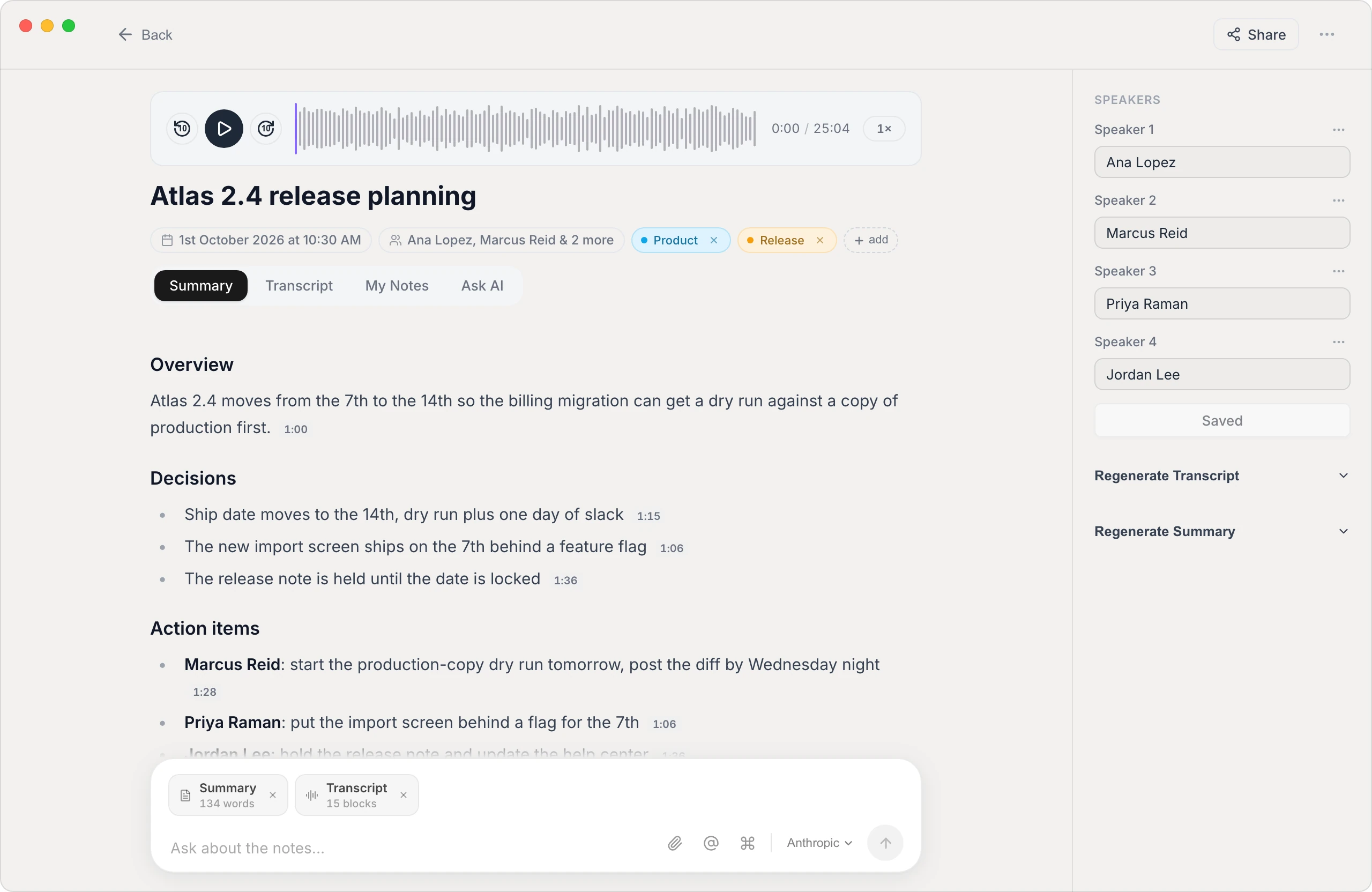
This is what Vowen's meeting notes are built for. It transcribes the call on your computer — on-device, with no bot joining the meeting — labels the speakers, and drafts a summary with the decisions and action items already pulled out. You add the two or three thoughts only you could have (that's what a "My Notes" scratchpad is for), edit the draft in two minutes, and you're done. Your colleagues never see a recorder avatar in the participant list, and the audio never leaves your machine. For a survey of the whole category, see our best AI note takers roundup; Vowen's core is free, with a one-time Pro upgrade rather than a subscription.
Common mistakes
- Transcribing instead of deciding. If your notes could double as subtitles, you weren't taking notes — you were typing.
- Actions without owners or dates. The #1 reason meetings repeat themselves.
- Never doing the after-pass. Raw notes decay in hours. The five-minute rewrite is the difference between an asset and a graveyard.
- One giant notes file. Notes you can't find are notes you don't have — one note per meeting, dated, in a searchable place.
Take notes for the person you'll be next Thursday: three headings, owners on every action, a two-minute cleanup while the meeting is fresh — and let the transcript take itself.
See it in Vowen
Frequently asked questions
What should meeting notes include?
Four things: decisions made, action items with an owner and a date, open questions, and any context you'll genuinely need later. Everything else — the discussion, the detours, who said what in what order — is noise for personal notes. If a note doesn't change what someone does next or preserve a decision, it usually doesn't need to exist.
What's the difference between meeting notes and meeting minutes?
Meeting notes are for you — informal, selective, structured however helps you work. Meeting minutes are an official record of a formal meeting: attendees, motions, votes, approvals, kept for governance or compliance. Notes optimize for usefulness; minutes optimize for accuracy and completeness.
Should I type or handwrite meeting notes?
Whichever you'll actually review. Handwriting aids memory but is slow and unsearchable; typing is fast and searchable but tempts you into transcribing. A strong middle path: capture almost nothing live and let an AI note taker record decisions and actions, then spend two minutes editing its summary afterward.
How do I take notes and still participate in the meeting?
You mostly can't do both well — splitting attention degrades both the notes and your contribution. Either rotate a designated note taker, or hand capture to a tool: an on-device AI note taker like Vowen transcribes the meeting and drafts the summary, so your only job during the call is to think and talk.
Talk instead of type.
Vowen is voice-to-text that works in any app, on Mac and Windows. Dictation is free and unlimited, no account required.