
Transcribe your Webex meetings, automatically
Turn any Webex meeting into an accurate, speaker-labeled transcript — capture the call live or drop in a saved recording. Private by default, on Mac and Windows.
Free download. No account required.
Webex's own transcript depends on your plan and your host
Webex can transcribe meetings, but the built-in options are gated: transcription features depend on the plan your organization pays for, the host has to have them enabled, and the transcript is created from recordings that live in the host's Webex account. If you join someone else's meeting, work at a company that hasn't switched the feature on, or simply forgot to record to the cloud, there's no transcript waiting for you afterwards.
Vowen works independently of Webex and whoever is hosting. It can listen to a live meeting from your side and transcribe as you go, or process a Webex recording you already saved. You get clean text with speakers identified — and because transcription can run on your device, the meeting audio doesn't have to leave your machine or depend on an admin's settings.
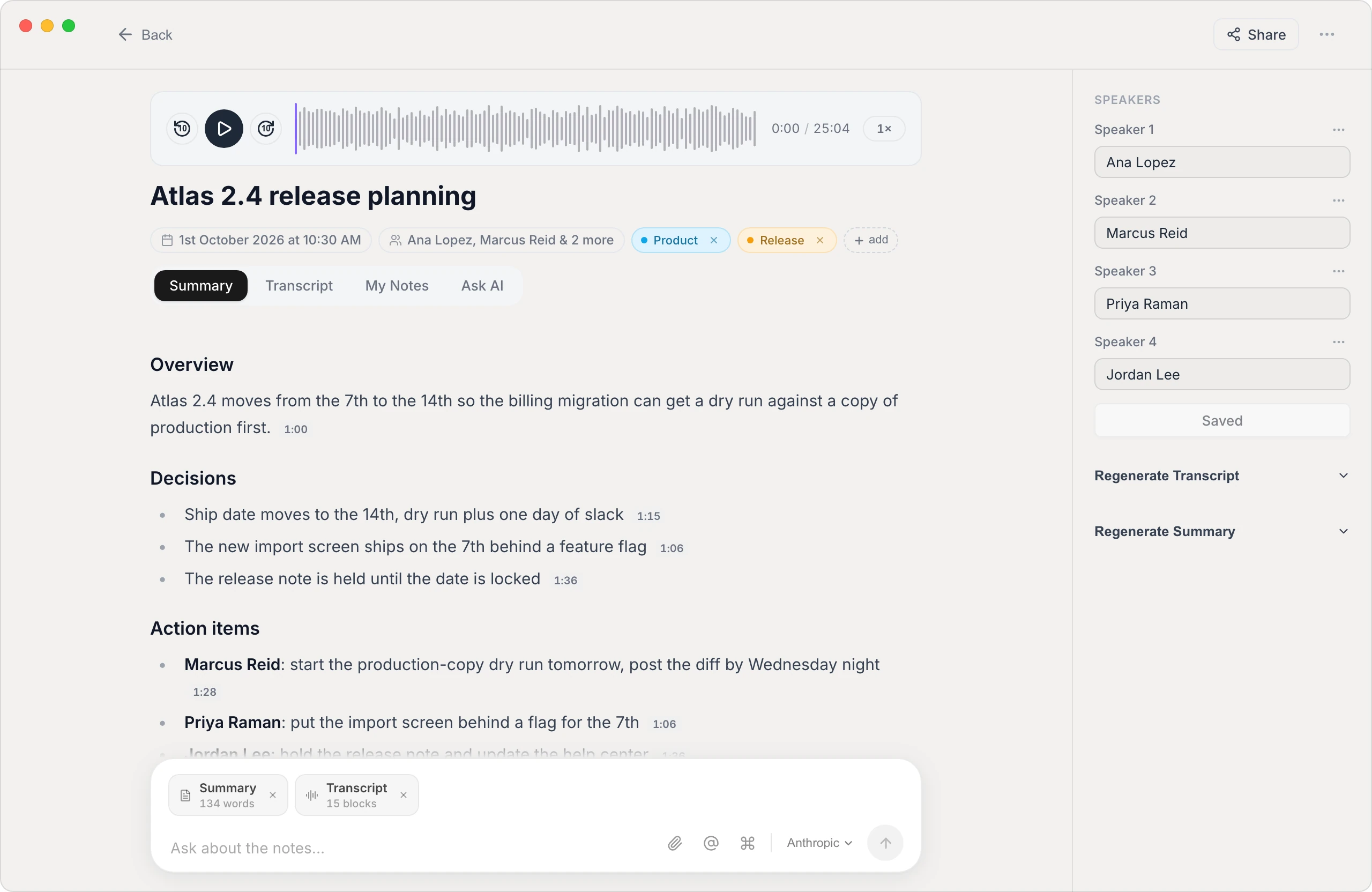
A Webex transcript you actually control
Speaker labels that stick
Vowen identifies who said what and carries those names through to the summary — not just the raw transcript — so decisions and action items are attributed to the right person.
No plan or host settings required
You don't need a specific Webex plan, and no host has to enable anything. Vowen transcribes on your side of the call, whatever account you joined with.
Export anywhere
Get your transcript as text, Markdown, PDF, or subtitles (SRT/VTT) — instead of a transcript locked inside someone else's Webex account.
Summaries + action items
Beyond the raw transcript, Vowen can generate a structured summary with decisions and next steps using your own AI provider key.
Two ways to transcribe a Webex meeting
- 1
Capture it live
Start Vowen's meeting notes before or during the call. It records the conversation and transcribes as you go, so the transcript is ready when the meeting ends — no bot joins the call.
- 2
Or import a recording
Already have a saved Webex recording? Drop the video or audio file (MP4, M4A, MP3) into Vowen and it transcribes the whole thing.
- 3
Review & label speakers
Vowen separates speakers automatically; rename them once and the labels flow through the transcript and summary.
- 4
Summarize & export
Generate a summary with key decisions and action items, then export the transcript in the format you need.
Common questions.
Still deciding? Ask us anything.
Do I need a paid Webex plan to get a transcript?
Not with Vowen. Webex's built-in transcription depends on your organization's plan and settings, but Vowen transcribes independently — it either listens to the call from your side or processes a recording you've saved — so it works whatever Webex account you join with.
Can Vowen transcribe a Webex recording I already have?
Yes. Drop the saved recording into Vowen as a standard video or audio file (MP4, M4A, or MP3) and it will transcribe the entire meeting with speaker labels. If your recording is in Webex's own ARF format, convert or re-export it to MP4 first.
Does a bot join the Webex meeting?
No. Vowen captures the audio on your own device rather than joining the call as a participant, so nothing shows up in the meeting for other attendees.
Is my meeting audio uploaded to the cloud?
Not by default. Vowen can transcribe on-device, so your audio stays on your machine. Cloud models are optional and only used if you enable them with your own key.
More in Transcribe.
Turn focus group recordings into analysis-ready transcripts
Transcribe a full session into clean, speaker-labeled text you can code, quote, and search — processed privately on your own machine, on Mac and Windows.
OpenTranscribe board meetingsAn accurate board record, without the cloud
Turn a board meeting into a speaker-labeled transcript the secretary can draft minutes from — processed on your own computer, so privileged discussions never leave the room. On Mac and Windows.
OpenTranscribe ZoomTranscribe your Zoom meetings, automatically
Turn any Zoom call into an accurate, speaker-labeled transcript — capture the meeting live or drop in a saved recording. Private by default, on Mac and Windows.
Open
Get a Webex transcript you can keep
Download Vowen free and turn your next Webex meeting into a clean, searchable transcript.