
An accurate board record, without the cloud
Turn a board meeting into a speaker-labeled transcript the secretary can draft minutes from — processed on your own computer, so privileged discussions never leave the room. On Mac and Windows.
Free download. No account required.
The board record is too sensitive to outsource
Board meetings produce the most consequential — and most confidential — conversations in an organization: strategy, finances, personnel, legal exposure. Minute-takers are expected to capture decisions and exact wording while also following the discussion, and the modern shortcut of a cloud notetaker means a bot in the participant list and privileged deliberations sitting on a third party's servers. Many boards simply can't accept that.
Vowen gives the corporate secretary a middle path: record the meeting on one laptop — a hybrid call or the room itself — and get a verbatim, speaker-labeled transcript processed entirely on that machine. Directors' remarks are attributed, motions can be quoted exactly as worded, and the audio and transcript stay under your organization's control, where board counsel generally wants them.
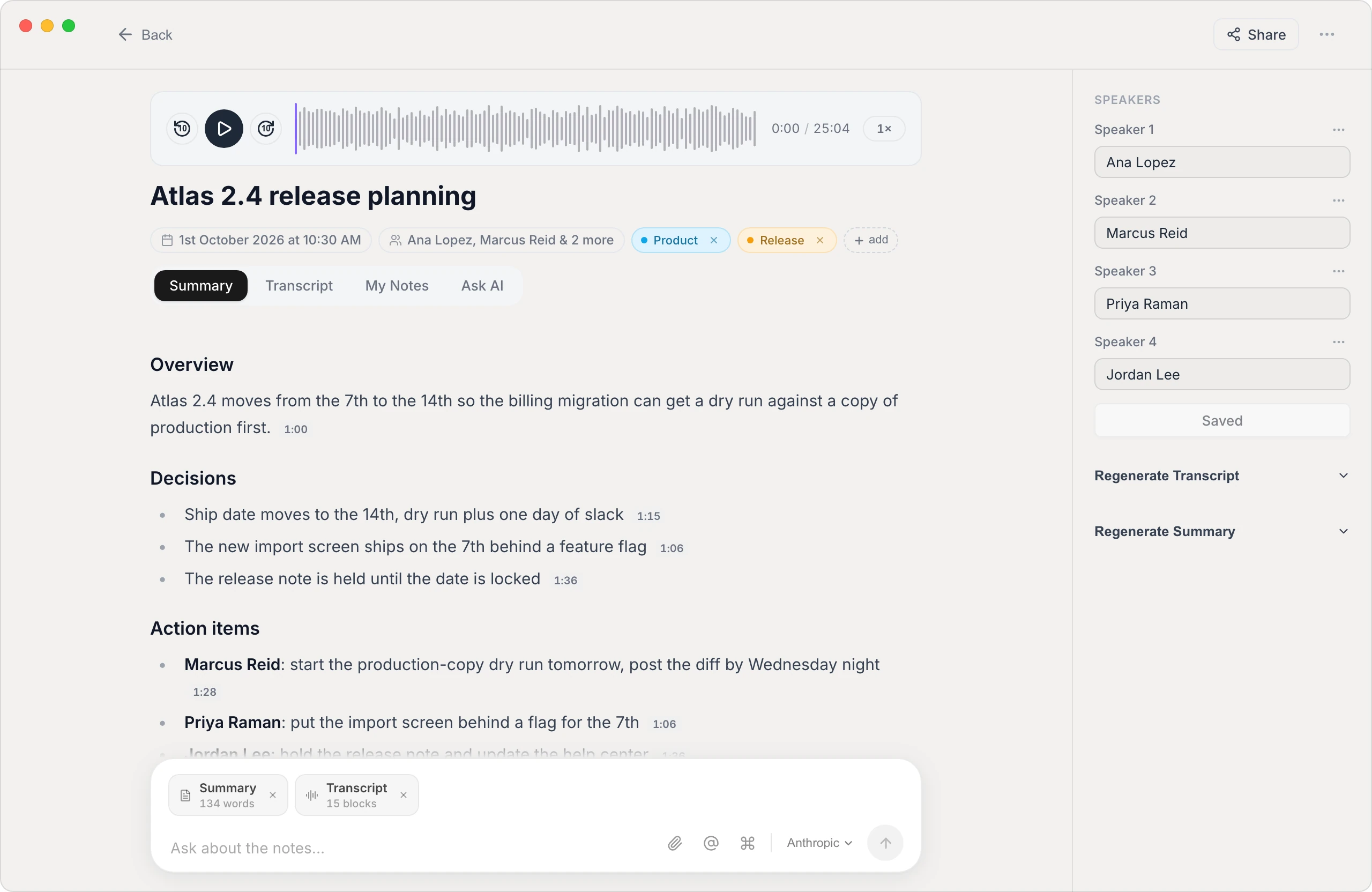
Built for governance, not just note-taking
On-device confidentiality
Transcription runs locally — no upload to a transcription vendor, no bot joining the call. That's an easier conversation with board counsel, auditors, and directors than any cloud processing agreement.
Directors, attributed
Vowen separates speakers and lets you name them once — Chair, Treasurer, each director — so who moved, who seconded, and who dissented is captured in the record, not reconstructed later.
From transcript to draft minutes
A custom summary template can output the meeting in minutes shape — agenda items, decisions, action items with owners — giving the secretary a first draft backed by verbatim text for every motion.
A record you control
Export text, Markdown, or PDF into your board book workflow, and keep the audio and transcript wherever your retention policy says they live — on your systems, not a vendor's.
How to transcribe a board meeting
- 1
Record the meeting
For hybrid or remote boards, Vowen captures the call audio from the secretary's computer. For in-room meetings, record from the laptop's microphone or import a recording made on another device.
- 2
Name the speakers
Vowen separates the voices; rename the labels once — Chair, CFO, each director — and the names carry through the entire transcript and summary.
- 3
Generate the minutes draft
Apply your minutes template to get a structured summary — discussion, decisions, action items — alongside the verbatim transcript for checking exact motion wording.
- 4
Finalize and file
The secretary edits the draft into official minutes for approval, exports to PDF or Markdown, and files transcript and audio per your retention policy.
Worth knowing
A note on executive sessions and consent
A transcript is a record — and some parts of a board meeting are deliberately not meant to have one. Follow your bylaws and counsel's guidance on recording, announce that the meeting is being transcribed, and pause or stop for executive session. The transcript supports the minutes; the approved minutes remain the official record.
Common questions.
Still deciding? Ask us anything.
Is the recording kept confidential?
Yes. Vowen transcribes on-device by default, so board audio is processed on the secretary's computer and never has to be uploaded to a cloud service. No bot joins the call, and nothing is shared unless you export and share it yourself.
Can it transcribe an in-person board meeting?
Yes. Record the room from a laptop with Vowen, or record on any device and import the file (MP3, M4A, WAV, MP4). Speaker separation works either way; a central microphone position helps in larger rooms.
Does it produce the official minutes?
It produces the raw material: a speaker-labeled verbatim transcript plus a structured draft in your minutes format. The secretary still reviews, edits, and submits minutes for board approval — the approved minutes, not the transcript, are the official record.
How does it handle a two-hour board meeting?
Long meetings transcribe in a single pass — a two- or three-hour session simply takes a little longer to process. The transcript is searchable afterwards, and you can ask questions against it to find a decision or quote quickly.
More in Transcribe.
Transcribe your Zoom meetings, automatically
Turn any Zoom call into an accurate, speaker-labeled transcript — capture the meeting live or drop in a saved recording. Private by default, on Mac and Windows.
OpenTranscribe TeamsTranscribe your Microsoft Teams meetings
Turn any Teams call into an accurate, speaker-labeled transcript — capture the meeting live or drop in a saved recording. Private by default, on Mac and Windows.
OpenTranscribe Voice MemosTurn your voice memos into text
Drop any Voice Memos recording into Vowen and get an accurate, editable transcript in seconds — your audio stays on your Mac, no upload required.
Open
Give your secretary a verbatim record
Download Vowen free and turn your next board meeting into a speaker-labeled transcript and a minutes-ready draft — on your own device.