
Turn your voice memos into text
Drop any Voice Memos recording into Vowen and get an accurate, editable transcript in seconds — your audio stays on your Mac, no upload required.
Free download. No account required.
Apple's Voice Memos won't give you the text
The Voice Memos app on iPhone and Mac is great for capturing a thought, an interview, or a lecture on the fly — but it stops at the audio. There's no built-in way to get a full, copy-paste-ready transcript, so you end up scrubbing through a recording trying to find the one sentence you needed.
Vowen closes that gap. Save your memo as an .m4a (the format Voice Memos uses), drop it in, and Vowen transcribes the whole thing into clean text you can search, edit, and paste anywhere. Because transcription can run on your device, a private note you recorded never has to be uploaded to anyone's server.
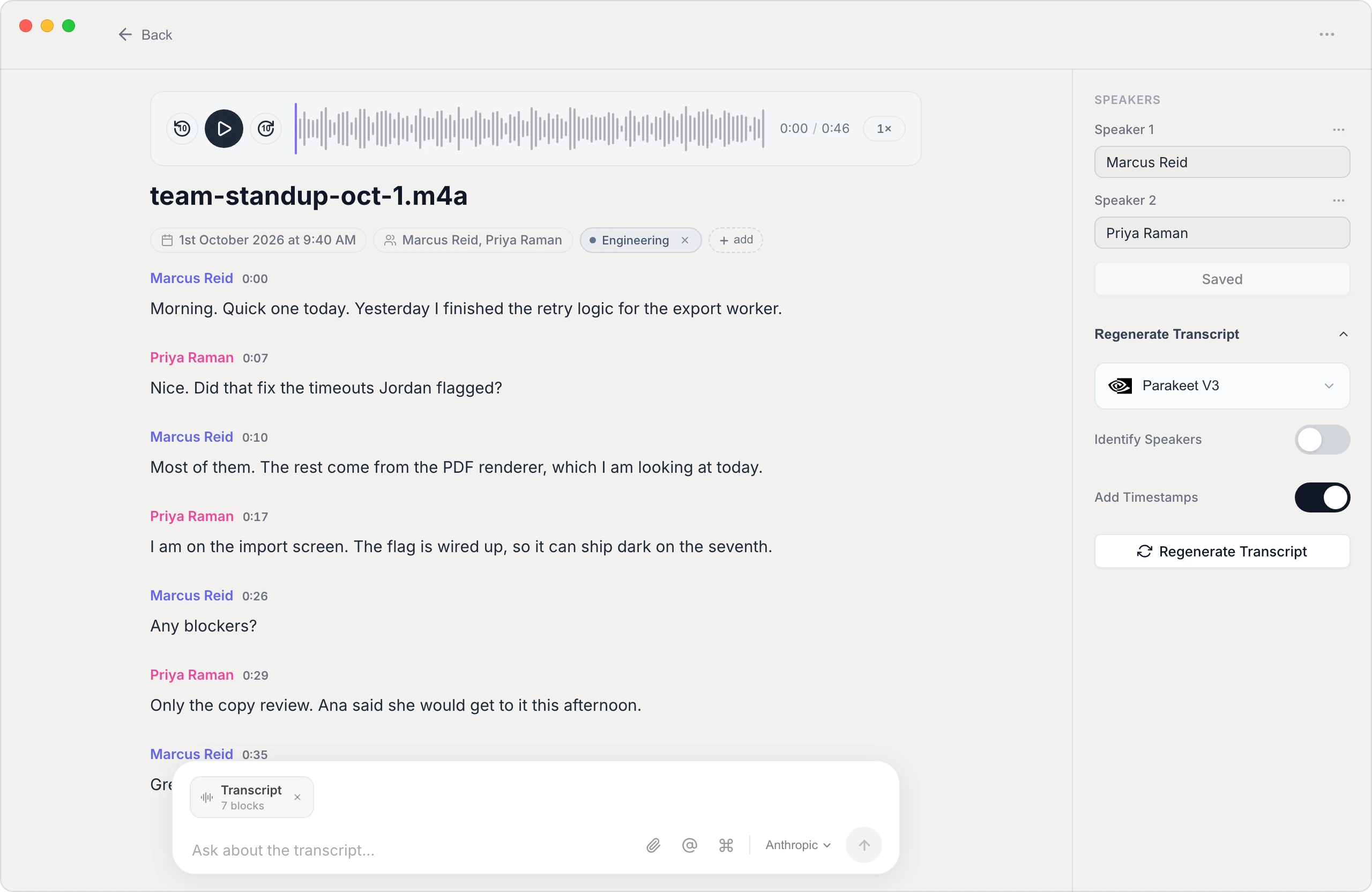
From recording to usable text
Reads .m4a natively
Voice Memos exports .m4a — Vowen transcribes it directly, along with MP3, WAV, and most common audio formats, with no conversion step.
Private by default
On-device transcription means a personal memo, a confidential interview, or a half-formed idea never leaves your machine unless you choose a cloud model.
Editable, searchable text
Get a real transcript you can correct, search, and copy — not a locked-away audio file you have to replay end to end.
Export where you work
Send the result to plain text, Markdown, or PDF and drop it straight into your notes, a doc, or your task manager.
How to transcribe a voice memo
- 1
Export the memo from Voice Memos
On Mac, drag the recording out of the Voice Memos app, or on iPhone use Share to save the .m4a to Files or AirDrop it to your Mac.
- 2
Drop it into Vowen
Open Vowen and add the .m4a file. It handles the format directly — no need to convert it to anything first.
- 3
Let it transcribe
Vowen processes the recording and produces a full transcript. Longer memos just take a little longer.
- 4
Edit and export
Fix any names or terms, then export the text in the format you need — or copy it straight out.
Common questions.
Still deciding? Ask us anything.
What file format do iPhone voice memos use?
Voice Memos records in .m4a. Vowen reads .m4a directly, so you can transcribe a memo without converting it to another format first.
Can I transcribe a voice memo without uploading it?
Yes. Vowen can transcribe entirely on your device, so a private recording stays on your Mac. Cloud models are optional and only used if you enable them with your own key.
How do I get an iPhone memo onto my computer to transcribe it?
Use the Share option in Voice Memos to save the recording to Files or AirDrop it to your Mac, then drop that .m4a into Vowen.
Is there a length limit on the recording?
No hard limit — Vowen transcribes short notes and long interviews alike. Longer recordings simply take more time to process.
More in Transcribe.
Transcribe interviews with speakers labeled
Turn a recorded interview into an accurate, speaker-separated transcript you can quote, code, and search — privately, on Mac and Windows.
OpenTranscribe LecturesTurn lectures into searchable study notes
Transcribe a recorded lecture into accurate, searchable text so you can study from the words instead of re-listening to an hour of audio.
OpenTranscribe PodcastsTranscribe your podcast, episode by episode
Turn each episode into an accurate, speaker-labeled transcript you can mine for show notes, quotes, and blog posts — processed on your own machine.
Open
Get the text out of your voice memos
Download Vowen free and turn any recording into clean, editable text on your own device.