
Turn lectures into searchable study notes
Transcribe a recorded lecture into accurate, searchable text so you can study from the words instead of re-listening to an hour of audio.
Free download. No account required.
A recorded lecture isn't notes
Recording a lecture is easy; doing anything with that hour of audio is not. To find the one definition the professor gave, you scrub back and forth blindly. To revise from it, you'd have to listen to the whole thing again. For students who process better by reading — or who are studying in a second language — audio alone is a poor study tool.
Vowen transcribes the full lecture into text you can read, search, and turn into notes. Drop in a recording from your phone or laptop and you get the complete transcript, so you can jump to the part that matters, highlight key passages, and revise far faster than replaying the audio. It runs on your own device, so your class recordings stay yours.
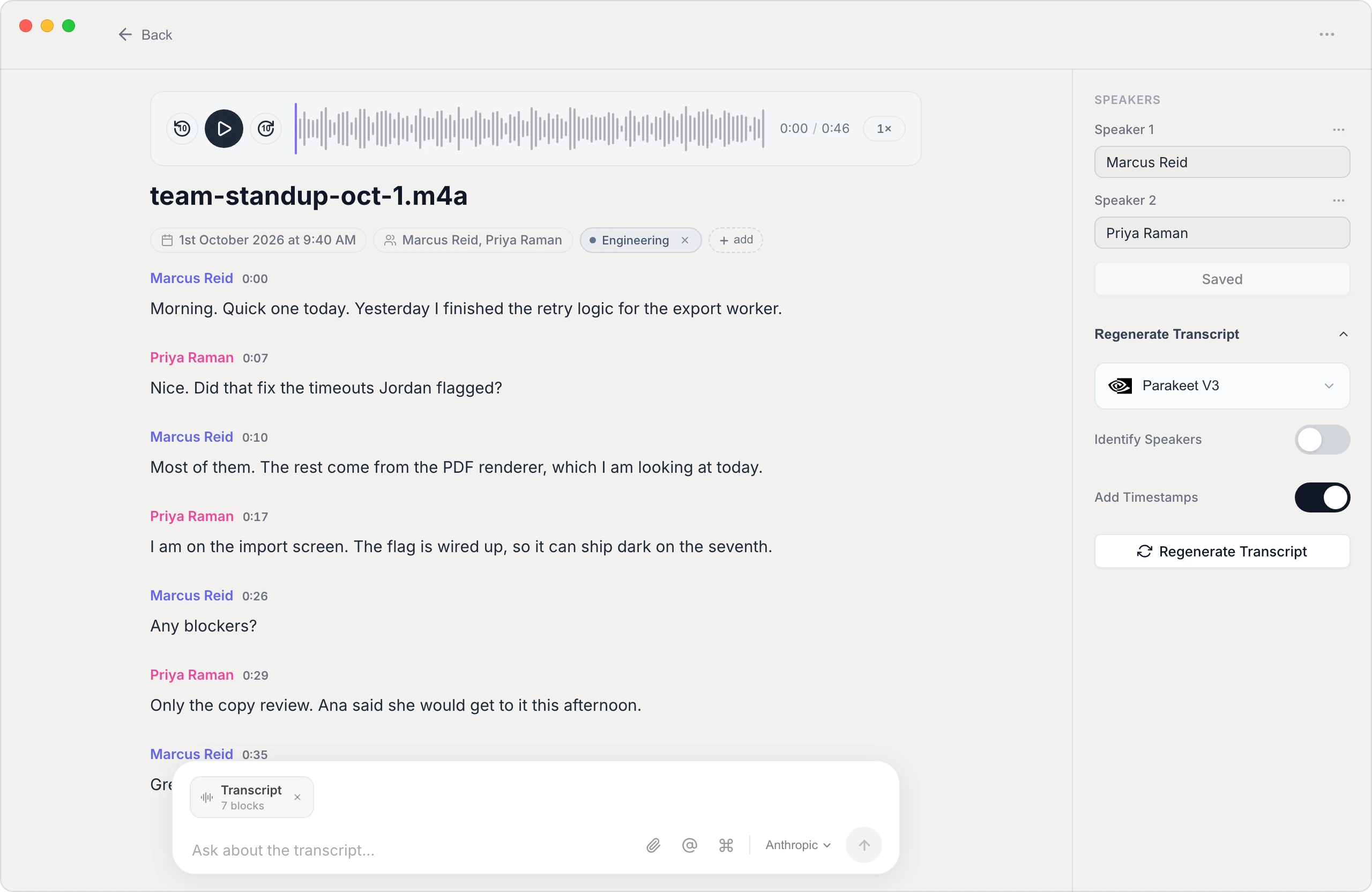
Study from text, not an hour of audio
Searchable transcripts
Find any definition, formula, or example by searching the text instead of scrubbing through a long recording.
Handles long recordings
A full lecture is no problem — Vowen transcribes hour-long audio so you get the whole class as text in one pass.
Private and on-device
Transcription can run locally, so your lectures and study material stay on your laptop rather than on a transcription company's servers.
Build notes you can revise from
Export the transcript to text or Markdown, then highlight, summarize, and shape it into the study notes you actually need.
How to transcribe a lecture
- 1
Record the lecture
Capture the class on your phone or laptop, or use a recording your instructor shared (audio or video).
- 2
Drop the recording into Vowen
Add the file — Vowen reads common audio and video formats, so there's nothing to convert first.
- 3
Transcribe the whole class
Vowen processes the full recording into a complete transcript. A longer lecture just takes a little more time.
- 4
Search, highlight, and export
Jump to the parts you need, then export to text or Markdown to build your study notes.
Common questions.
Still deciding? Ask us anything.
Can Vowen transcribe a full-length lecture?
Yes. Vowen handles long recordings, so an hour-long lecture transcribes in a single pass — it just takes a bit more time than a short clip.
Is it private enough for my own class recordings?
Yes. Vowen can transcribe entirely on your device, so your lecture recordings and notes stay on your laptop. Cloud models are optional and only used if you turn them on with your own key.
Can I get the transcript as notes I can edit?
Yes. Export the transcript to text or Markdown, then highlight, trim, and reorganize it into study notes that work for you.
Will it get technical or subject-specific terms right?
You can add a custom vocabulary of course-specific terms, names, and jargon so Vowen transcribes them accurately instead of guessing.
More in Transcribe.
Transcribe your podcast, episode by episode
Turn each episode into an accurate, speaker-labeled transcript you can mine for show notes, quotes, and blog posts — processed on your own machine.
OpenTranscribe SermonsTurn your sermons into a searchable archive
Transcribe each message into accurate text for your website, devotionals, and members who'd rather read than re-listen — processed privately on your own machine.
OpenTranscribe Google MeetTranscribe your Google Meet calls, automatically
Turn any Google Meet into an accurate, speaker-labeled transcript — capture the call live or drop in a saved recording. Private by default, on Mac and Windows.
Open
Turn your lectures into study notes
Download Vowen free and transcribe your class recordings into searchable text on your own device.