
Turn audio into an SRT file on your own computer
Drop in an audio or video file and get a properly timed .srt or .vtt subtitle file — transcribed on-device, split into caption-sized lines, and free to export. No upload, no watermark, no per-minute meter.
Runs in the Vowen desktop app, on your Mac or PC, not in the browser. Free to download, no account. Looking for something to try right here? Test your microphone.
Web SRT generators meter, watermark, or upload your file
Making an SRT by hand means typing every line and timing every cue — nobody does that twice. The free web generators automate it, but with the usual catches: length caps measured in minutes, watermarked or paywalled downloads, and your file uploaded to someone else's server. For client footage, unreleased recordings, or anything under embargo, that upload alone can be a dealbreaker.
Vowen does the whole job locally. It transcribes the file on your device with word-level timing, splits the text into caption-sized chunks — not paragraph dumps — and exports a standard .srt or .vtt that any video editor or player accepts. You can fix names and jargon in the transcript before exporting, so the subtitle file comes out clean the first time.
Subtitles done properly
Real subtitle formatting
Captions are split to subtitle conventions — around 42 characters a line, two lines a cue, timed from the transcription — so the file works as subtitles, not as a transcript crammed into cues.
On-device processing
Transcription runs locally by default. Unreleased footage audio, client interviews, and internal recordings never have to leave your computer to get subtitled.
Audio or video in
MP3, WAV, M4A, FLAC, and other audio formats — or drop in the video itself (MP4, MOV, MKV) and Vowen transcribes its audio track. No need to extract audio first.
Edit before you export
Fix a misheard name or product term inline, or teach Vowen your vocabulary so it's right next time — then export, instead of patching the .srt in a text editor afterwards.
SRT and VTT, free
Subtitle export isn't paywalled: both .srt (video editors, players) and .vtt (web video) come with the free app, and local transcription isn't metered per minute.
99 languages
Subtitle recordings in 99 languages — accurate timing works the same whatever the language of the audio.
How to convert audio to SRT
- 1
Install Vowen
Download the free app for macOS or Windows. No account required to get started.
- 2
Drop in your file
Drag in the audio — or the video itself — and pick a transcription model. Processing happens on your device.
- 3
Review the transcript
Skim the text and fix anything the model misheard — names, jargon, acronyms — before the timing gets baked into a subtitle file.
- 4
Export as SRT or VTT
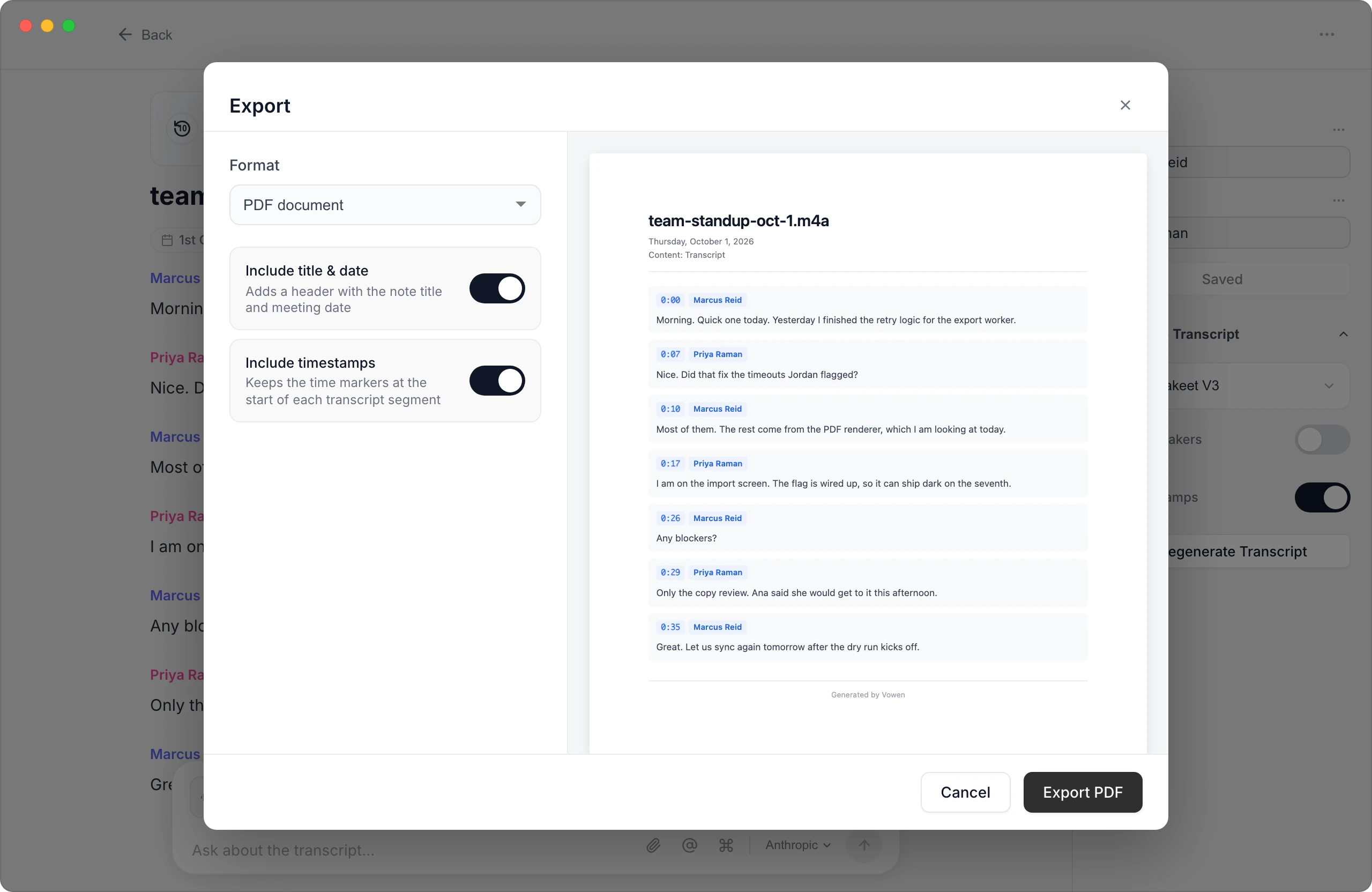
Choose SRT or VTT in the export menu and you have a standard subtitle file ready for your editor, player, or the web.
Worth knowing
What this does and doesn't do
Vowen generates subtitles from the speech in your file — it doesn't convert between existing subtitle files (there's no importing a .vtt to re-save as .srt) and it doesn't burn captions into the video. You get a standard sidecar subtitle file to load into Premiere, DaVinci, YouTube, VLC, or wherever the video is headed. And it's a desktop app, not a browser tool — that's precisely what keeps the processing on your machine.
Common questions.
Still deciding? Ask us anything.
Is it actually free?
The app is free to download and use, SRT and VTT export is included in the free tier, and local transcription isn't metered per minute the way web generators are. The free plan includes 10 file transcriptions; Pro (a one-time purchase, not a subscription) makes them unlimited and adds features beyond the free tier, but audio-to-SRT itself isn't paywalled.
Can it make an SRT from a video file?
Yes. Drop in the video itself — MP4, MOV, MKV, and other common formats — and Vowen transcribes the audio track and exports the subtitle file. You don't need to extract the audio separately.
How accurate is the timing?
Cues are timed from the transcription itself and split into standard caption lengths (roughly 42 characters, up to two lines per cue). Accuracy depends on audio quality and the model you pick; you can review and correct the transcript before exporting so the file lands clean.
SRT or VTT — which one do I need?
SRT is the older, near-universal format that video editors and desktop players expect; VTT is the web standard used by HTML5 video and most web platforms. Vowen exports both, so match the destination — and if you're unsure, SRT is accepted almost everywhere.
Can it convert an existing VTT file to SRT?
No — Vowen works from audio, not from existing subtitle files. If you have the original recording, transcribing it fresh gets you both formats. For converting a subtitle file you already have, a dedicated subtitle converter is the right tool.
More in Tools.
Transcribe audio to text in minutes
Drop in any recording and get a clean, accurate transcript you can edit, search, and export. Processed on your device by default — free to start on Mac and Windows.
OpenM4A to textConvert M4A audio to text
Got an .m4a file? Drop it into Vowen and get an accurate, editable transcript — no format conversion, no upload, free to start on Mac and Windows.
OpenMP3 to textConvert MP3 audio to text
Got an .mp3 file? Drop it into Vowen and get an accurate, editable transcript — no upload, no per-minute caps, free to start on Mac and Windows.
Open
Subtitle your recordings without uploading them
Download Vowen free, drop in a file, and export a clean SRT or VTT in minutes — all on your own computer.