
Convert M4A audio to text
Got an .m4a file? Drop it into Vowen and get an accurate, editable transcript — no format conversion, no upload, free to start on Mac and Windows.
Runs in the Vowen desktop app, on your Mac or PC, not in the browser. Free to download, no account. Looking for something to try right here? Test your microphone.
M4A is everywhere, but it doesn't open as text
M4A is the default format for a huge amount of audio: messaging-app voice notes, files from recorder apps, audio pulled from video, and downloads from all kinds of sources. It's efficient and high-quality — but it's still just audio. When you actually need the words, scrubbing back and forth through an .m4a to find one sentence is painful, and most free web converters cap the length, watermark the output, or send your file to someone else's server.
Vowen reads .m4a directly — no converting it to WAV or MP3 first — and transcribes the whole file into clean, searchable text you can edit and export. Because transcription can run on your device, a private voice note or a sensitive recording never has to be uploaded anywhere.
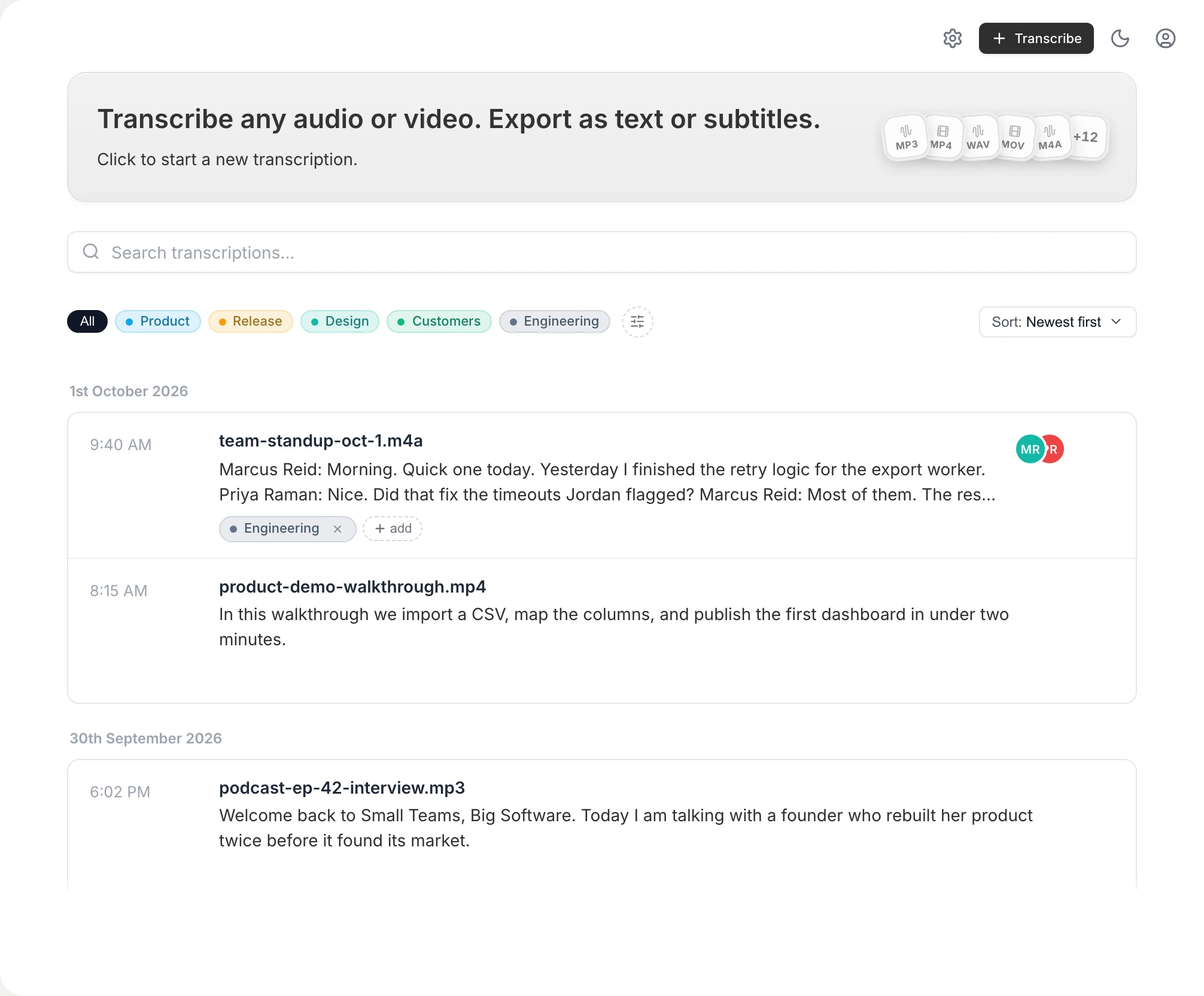
Built for real M4A files, not demos
Reads .m4a natively
No conversion step — Vowen transcribes .m4a directly, along with MP3, WAV, and most common audio and video formats.
On-device by default
Local transcription means your .m4a stays on your machine. Cloud models are optional and only used if you turn them on with your own key.
Editable, searchable text
Get a real transcript you can correct, search, and copy — not a locked-away audio file you have to replay end to end.
No per-minute caps
Local processing isn't metered by the minute the way free web tools are, so a long .m4a counts as one file. The free plan includes 10 file transcriptions; Pro is unlimited.
How to convert M4A to text
- 1
Download Vowen
Install the free app for macOS or Windows. No account required to get started.
- 2
Drop in your .m4a file
Drag the M4A into Vowen's transcription view — there's no need to convert it to another format first.
- 3
Get your transcript
Vowen transcribes the file on-device and shows the text, ready to read and search.
- 4
Edit and export
Fix any names or terms, then export to text, Markdown, PDF, or subtitles (SRT/VTT).
Common questions.
Still deciding? Ask us anything.
How do I convert an M4A file to text?
Drop the .m4a into Vowen and it transcribes the audio into editable text. There's no conversion step — Vowen reads M4A directly, so you don't need to turn it into WAV or MP3 first.
Is my M4A file uploaded anywhere?
Not by default. Vowen transcribes on-device, so your file stays on your computer. Cloud models are optional and only used if you enable them with your own key.
Is there a length limit on the M4A?
No hard limit. Local transcription isn't metered per minute, so you can transcribe a long recording without hitting a cap — longer files just take more time.
I have an iPhone or Mac Voice Memo. Is that the same thing?
Voice Memos save as .m4a, so this works for them too. If you specifically want the Voice Memos workflow, see our guide to transcribing voice memos for the export steps.
More in Tools.
Convert MP3 audio to text
Got an .mp3 file? Drop it into Vowen and get an accurate, editable transcript — no upload, no per-minute caps, free to start on Mac and Windows.
OpenWAV to textConvert WAV audio to text
Got a .wav file? Drop it into Vowen and get an accurate, editable transcript — no upload, no per-minute caps, free to start on Mac and Windows.
OpenText expanderType a shortcut. Get the whole thing.
Vowen includes a system-wide text expander: type :addr, :sig, or any shortcut you invent, and it instantly becomes the full text — in email, docs, chat, every app on your Mac or Windows PC. One tool for the things you say and the things you retype.
Open
Convert your M4A to text now
Download Vowen free and turn any .m4a into clean, editable text on your own device.