
Voice to text on Mac that works everywhere
Press a hotkey and dictate into any app on your Mac — notes, email, Slack, your editor. Fast, private, on-device transcription with AI cleanup and your own vocabulary.
Free download. No account required.
Apple's built-in dictation only gets you so far
macOS dictation is handy in a pinch, but it trails off on longer passages, struggles with names and jargon, and offers little control over formatting or cleanup. For real work, most people give up and go back to typing.
Vowen is purpose-built dictation for the Mac. It runs on-device for speed and privacy, learns the words you actually use, and types directly wherever your cursor is — then can clean up the text with AI so you're not editing filler words and stray punctuation.
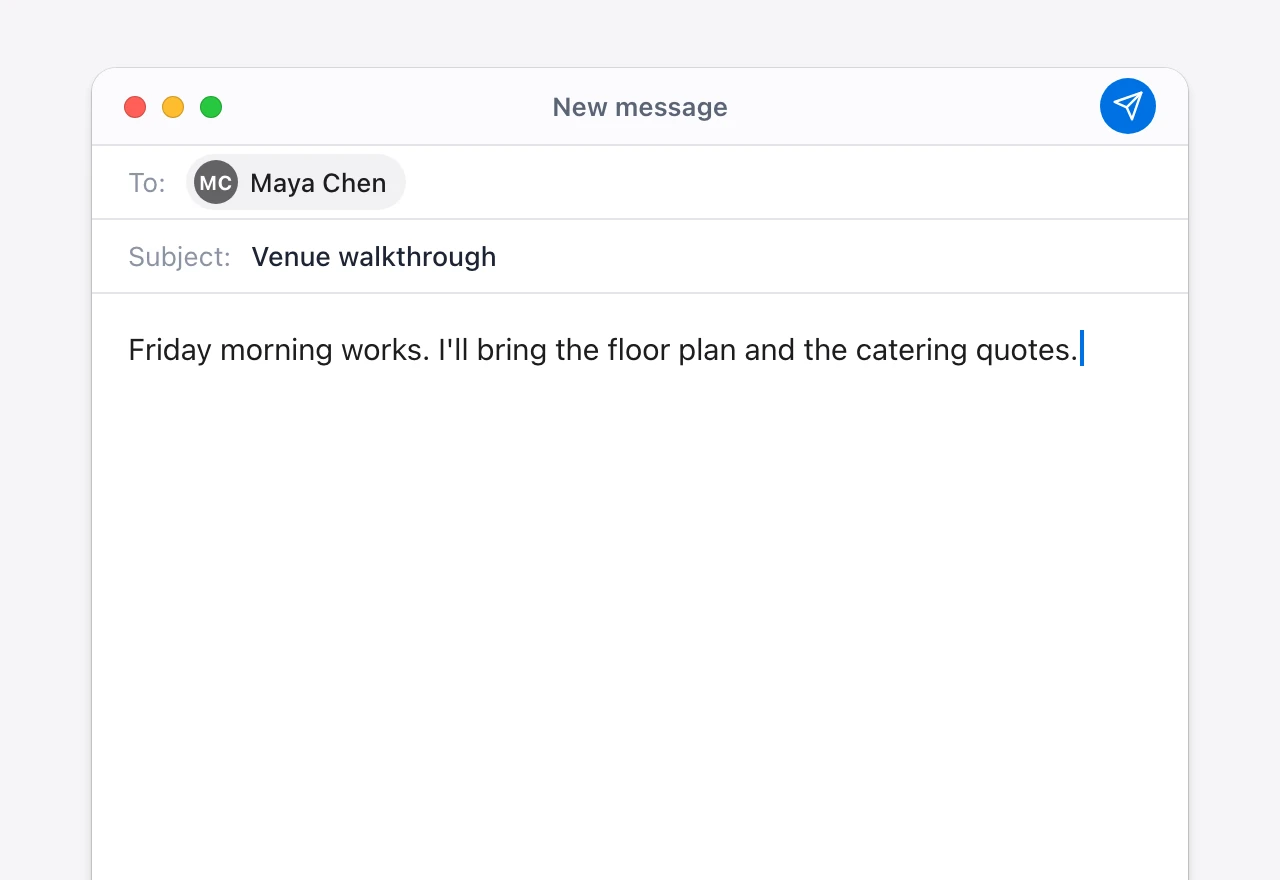
Dictation that keeps up with your Mac
Works in every app
A global hotkey lets you dictate into any text field on macOS — no per-app setup, no copy and paste.
On-device & private
Vowen transcribes locally using fast on-device models, so your voice doesn't have to leave your Mac.
Custom vocabulary
Teach Vowen the names, acronyms, and technical terms you use, and it remembers them for next time.
AI cleanup
Optionally turn raw speech into polished text — filler removed, punctuation fixed, formatted the way you want.
Set up voice to text on your Mac
- 1
Download Vowen for macOS
Install the free app. It runs on Apple Silicon Macs (M1 or later) with macOS 14.0 or later.
- 2
Grant accessibility permission
macOS asks for accessibility access so Vowen can type into other apps. A one-time setup.
- 3
Pick your hotkey
Choose the shortcut you'll hold to dictate — the default works system-wide.
- 4
Start dictating
Put your cursor anywhere, hold the hotkey, and speak. Your words appear as text.
Common questions.
Still deciding? Ask us anything.
How is Vowen different from Apple's built-in dictation?
Vowen is built for sustained, real-world use: it handles long-form speech, learns your custom vocabulary, offers AI cleanup, and gives you control over formatting — areas where the built-in macOS dictation is limited.
Does voice to text work in any Mac app?
Yes. Vowen types wherever your cursor is via a global hotkey, so it works in virtually any app with a text field — from Notes and Mail to Slack and your code editor.
Is my voice processed on-device?
By default, yes. Vowen uses on-device models so your audio stays on your Mac. Cloud models are optional and only used if you enable them.
What macOS version do I need?
Vowen needs an Apple Silicon Mac (M1 or later) running macOS 14.0 or later. There is no Intel Mac build.
More in Voice to text.
Windows dictation that works everywhere
Press a hotkey and dictate into any app on Windows — Word, Outlook, your browser, Slack, your editor. Fast, private, on-device transcription with AI cleanup and your own vocabulary.
OpenSpeech to text · OfflineSpeech to text that works with the Wi-Fi off
Vowen transcribes on-device by default: your voice is processed locally on your Mac or PC, not on someone's server. Dictate on a plane, in the field, or on a locked-down network — and keep sensitive audio on your machine, always.
Open
Talk instead of type on your Mac
Download Vowen free and add system-wide voice to text to macOS in minutes.