Support teams type the same fifteen replies hundreds of times a month — the refund policy, the password reset, the "we've reproduced the bug" update. Canned responses fix the retyping, but most template lists trade one problem for another: replies that are fast to send and painful to receive. This guide gives you 15 copy-paste templates written to be personalized in seconds, the rules that keep them sounding human, and how to insert them anywhere — helpdesk or not — with text expansion.
The three rules of canned responses that don't sound canned
- Personalize the top and bottom, template the middle. The first line should prove you read their message; the last line should give their specific next step. The accurate middle is what templates are for.
- One template, one situation. A template that tries to cover both "refund inside the window" and "refund outside the window" forces the agent to edit under pressure — which is how the wrong paragraph reaches a customer. Split them.
- Write the apology once, properly. The outage and bug templates below were worded carefully in calm conditions. That is the whole advantage: your 2 a.m. incident reply is as good as your best writer on their best day.
15 canned response templates
Square brackets mark the parts you personalize. Swap the placeholder style for whatever your tooling uses.
Acknowledgment & triage
1. First reply / we're on it
Hi [name] — thanks for flagging this. I can see how [restate the problem] would get in the way of [what they were trying to do]. I'm looking into it now and will get back to you by [time, specific]. If anything changes in the meantime, just reply here.
2. Need more information
Hi [name] — I want to get this fixed for you, and I'm missing one detail: could you send me [the specific thing — screenshot, account email, error message]? As soon as I have that I can [what you'll do with it].
3. Passing to the right person
Hi [name] — this one's best handled by our [team], so I've brought them in and shared everything you've told me — you won't need to repeat yourself. [Teammate] will pick this up and reply by [time].
Troubleshooting & bugs
4. Known issue, workaround exists
Hi [name] — you've hit a known issue with [feature], and I'm sorry for the disruption. The fix is scheduled for [timeframe]. Until then, [workaround steps] will get you moving again. I'll reply on this thread the moment the fix ships.
5. Bug confirmed, no ETA yet
Hi [name] — thank you for the detailed report. I've reproduced the problem and filed it with engineering as [ticket ref]. I don't have a date I can stand behind yet, and I'd rather not guess — but I've subscribed you to updates and will write back when it moves.
6. Can't reproduce
Hi [name] — I've tried to reproduce this on [setup] and haven't managed to yet, which usually means something specific to the account or environment. Could you send [exact steps / a short screen recording]? With that I can trace what's different on your side.
Billing & refunds
7. Refund approved
Hi [name] — done: I've issued a refund of [amount] to your original payment method. It typically appears within [X business days]. I'm sorry [product] wasn't the right fit this time — if you're open to sharing what was missing, I'll pass it straight to the team.
8. Refund outside the policy window
Hi [name] — thanks for asking directly. Your purchase falls outside our [X-day] refund window, so I can't process a standard refund here. What I can do: [genuine alternative — credit, discount on renewal, transfer]. I realize that may not be the answer you hoped for, and I'm happy to explain how the policy works.
9. Duplicate or incorrect charge
Hi [name] — you're right, that charge shouldn't be there. I've reversed [amount] and checked the account to make sure nothing else is off. You'll see it back within [X business days]. Thanks for catching it, and sorry for the hassle of having to write in.
Product & feature requests
10. Feature request — logged honestly
Hi [name] — that's a fair ask, and I've logged it with the product team along with your use case, which is what actually gets requests prioritized. I can't promise if or when it ships, but if it does, I'll let you know on this thread.
11. Feature we won't build
Hi [name] — thanks for the suggestion. I'll be straight with you: this isn't on our roadmap, because [honest reason]. If it helps, [alternative or third-party route] covers part of this today. I'd rather tell you now than leave you waiting on a maybe.
Incidents & apologies
12. Outage — during
Hi [name] — we're currently experiencing [issue] affecting [scope], and our team is on it. Live updates are at [status page]. You don't need to do anything; I'll confirm on this thread once service is restored. I'm sorry for the disruption.
13. Outage — after, with follow-up
Hi [name] — following up as promised: [service] was fully restored at [time]. The short version of what happened: [one-sentence cause]. We're [concrete prevention step] to stop it recurring. Thank you for your patience — and if anything still looks wrong on your end, reply here and I'll dig in personally.
Closing the loop
14. Solved — confirm and close
Hi [name] — glad that's sorted! I'll close this ticket now, but replying reopens it instantly if anything resurfaces. For future reference, [self-serve doc] covers this — often faster than waiting on us.
15. No response — gentle close
Hi [name] — I haven't heard back, so I'll assume things are working and close this ticket for now. If the issue is still live, just reply and it reopens with all the history intact — you won't start from scratch.
Stop retyping them: put the library behind a text expander
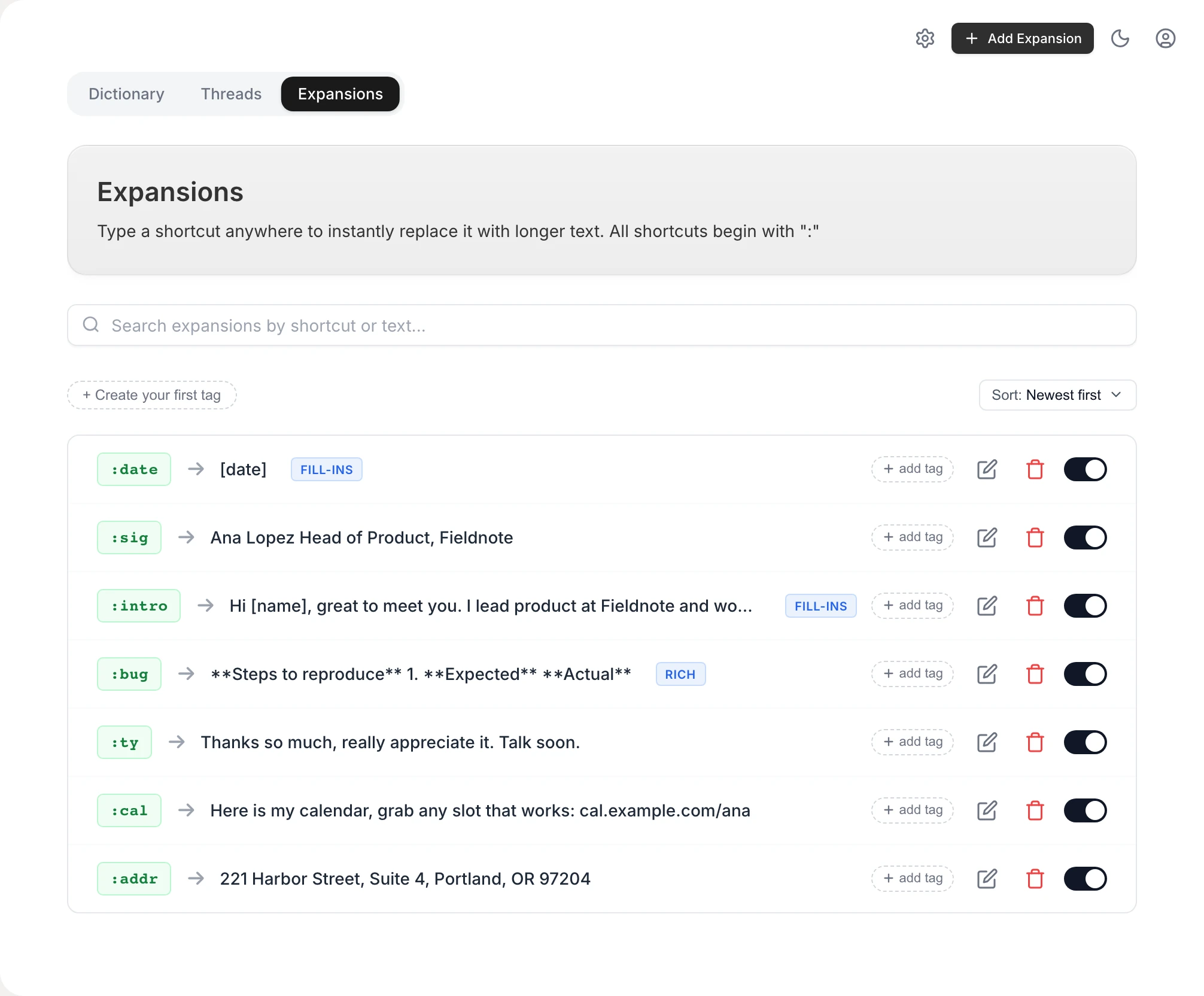
Templates stored in a doc still cost a find-copy-paste round trip, and helpdesk macros only work inside the helpdesk. A text expander fixes both: you type a short trigger — :refund, :outage, :bug — and the full template appears in whatever app you're in: the helpdesk, Gmail, Slack, a social DM, the review-reply box. Vowen includes this on Mac and Windows, with formatted text and live date/time tokens, so "[X business days]" math can reference today automatically. And for the personalized top and bottom lines — the part you should never template — dictating is faster than typing: Vowen's voice typing works in the same reply box, so the human paragraph costs seconds, not minutes.
Make them better every quarter
- Retire by usage: if a template hasn't been used in a quarter, it's clutter in the picker.
- Rewrite by reply: if customers keep responding "but what about…", the template is answering the wrong question.
- Promote real replies: your best canned response is usually something an agent wrote fresh last month. When a reply works unusually well, template it.
The bottom line
Canned responses are a writing exercise done once, well — then a delivery problem. The 15 templates above cover the bulk of a typical support queue; the three personalization rules keep them human; and a text expander makes them one trigger away in every app, not just the helpdesk. Vowen's free tier lets you try the expansion workflow today and see how much of your day the retyping was actually taking.
See it in Vowen
Frequently asked questions
What is a canned response?
A canned response is a pre-written reply for a situation your team answers repeatedly — a refund request, a bug report, a how-do-I question. Instead of typing the same three paragraphs from scratch, you insert the template and personalize the details. Done well, it's faster for the agent and better for the customer, because the wording has been thought through once, properly.
How do I use canned responses without sounding robotic?
Personalize the first and last line, keep the middle. Open by restating the customer's actual problem in your own words, use their name, and close with a specific next step. The template carries the accurate, complete information; the human top and tail carry the empathy. Never let a template answer a question the customer didn't ask.
How do I set up canned responses?
Most helpdesks (Zendesk, Intercom, Freshdesk) have a built-in macro or saved-replies feature — use it for replies tied to ticket actions. For everything outside the helpdesk — email, chat, social DMs, internal tools — a text expander inserts your templates in any app when you type a short trigger like :refund, so one library works everywhere.
How many canned responses should a support team have?
Start with your top 10–15 ticket types, which typically cover well over half of volume, and resist the urge to template everything. A bloated library of 200 responses is slower to search than typing. Review the set quarterly: retire what's unused, rewrite what customers keep replying 'that didn't answer my question' to.
Talk instead of type.
Vowen is voice-to-text that works in any app, on Mac and Windows. Dictation is free and unlimited, no account required.