Dictation isn't new — your phone and laptop have had it for years. What changed is the AI part. The latest voice tools don't just turn speech into text; they run that text through a language model that strips out filler words, fixes punctuation, formats the result, and even follows spoken instructions. The gap between what you said and what you can actually use has nearly closed. This guide explains what AI dictation really is, what to look for, and how to pick the right tool in 2026.
What "AI dictation" actually means
Traditional dictation is a single step: speech recognition transcribes your words literally. If you say "um, so I think we should, uh, ship it Friday — no wait, Thursday," that's exactly what you get, and you clean it up by hand. (If you want the fundamentals, see our explainer on what dictation is.)
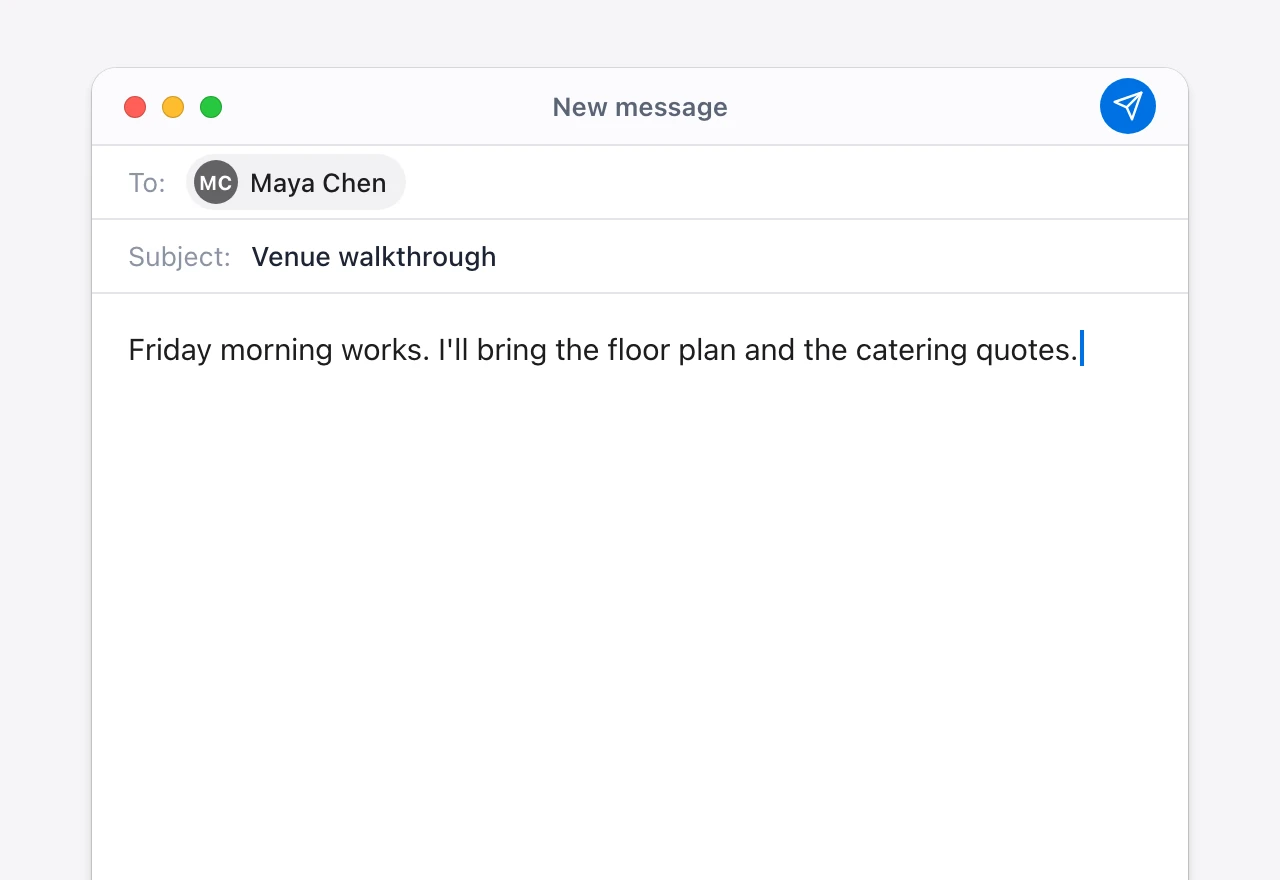
AI dictation adds a second step. After the transcript is produced, a language model rewrites it into something usable: it drops the "ums," merges your self-correction into "we should ship it Thursday," adds punctuation, and matches the tone to where you're writing. Tell it "make that three bullet points" or "reply more formally" and it restructures the text instead of typing those words. That post-processing layer is the whole difference.
Why people are switching to it
- Speed without the edit tax. You talk at ~150 words a minute and type at ~40 — but old dictation handed the time back in cleanup. AI dictation keeps the speed and removes most of the editing.
- It works everywhere you type. The best tools are system-wide, so the same dictation works in your email, your IDE, Slack, and a Google Doc — not just one box.
- Commands, not just transcription. "Summarize this," "translate to Spanish," "fix the grammar" — the AI layer turns your voice into an editor, too.
- Accessibility and RSI relief. For anyone who can't — or shouldn't — type for hours, voice becomes a first-class input method instead of a frustrating fallback.
How to choose an AI dictation tool
Most tools sound similar on a landing page. These are the criteria that actually separate them:
1. On-device vs cloud
This is the biggest decision. Cloud tools send your audio to a server to transcribe it — convenient, but your voice and its contents leave your machine. On-device tools run the speech model locally, so audio never gets uploaded and dictation works offline. If you dictate anything sensitive — client work, medical or legal notes, internal strategy — favor a tool that can run on-device. A good middle ground is local transcription with optional cloud AI you switch on yourself.
2. The quality of the AI layer
Raw transcription accuracy matters, but the cleanup layer is what you'll feel day to day. Test it on real speech: does it remove filler naturally, keep your meaning when you self-correct, and format for the app you're in? Can it take commands, or only transcribe? A tool that lets you bring your own AI provider key also lets you choose the model behind that layer.
3. Custom vocabulary
Every job has words a generic model will mangle — product names, colleagues' names, acronyms, medical or legal terms. The ability to add a custom dictionary is the difference between a transcript you trust and one you re-read line by line.
4. Platform and reach
Make sure it runs on your OS — and ideally both, if you switch between Mac and Windows. "System-wide" matters more than it sounds: a tool locked to one app or browser tab will quietly push you back to typing everywhere else.
5. Pricing model
AI dictation tools split into subscriptions (a recurring monthly bill, common for cloud-first apps) and one-time or freemium (free core dictation, pay once to upgrade). Heavy daily users should do the math over a year — a subscription that's cheap per month can outrun a one-time license fast.
Who AI dictation is for
If you write a lot — email, docs, code comments, notes — and your hands are the bottleneck, AI dictation pays back the setup time within days. It's especially strong for clinicians, lawyers, writers, founders, and anyone in back-to-back work who'd rather talk a draft than type it. For a ranked look at specific products, see our roundup of the best dictation software.
The bottom line
AI dictation in 2026 isn't "speech recognition that's gotten a bit better" — it's a different workflow, where you speak a rough draft and get back clean, formatted text. Weigh on-device privacy, the quality of the AI cleanup, custom vocabulary, platform reach, and pricing, and you'll pick well. Vowen checks those boxes — system-wide dictation with an on-device option, AI cleanup, custom vocabulary, and a free tier with a one-time upgrade instead of a subscription. See the pricing and try it on your own writing.
See it in Vowen
Frequently asked questions
What is AI dictation?
AI dictation is voice-to-text that adds a language-model layer on top of speech recognition. Instead of just transcribing words, it cleans up filler words, fixes grammar and punctuation, formats the text for the app you're in, and can follow spoken instructions like 'make this a bullet list.' The result reads like something you wrote, not a raw transcript.
How is AI dictation different from regular dictation?
Classic dictation (like the built-in tools on Mac and Windows) converts speech to text literally — including every 'um,' false start, and run-on sentence. AI dictation runs that transcript through a language model that removes disfluencies, formats it, and can rewrite or summarize on command, so you spend far less time editing afterward.
Is AI dictation accurate?
Modern AI dictation is accurate enough for professional use, often above 95% on clear speech, and it improves with custom vocabulary for names, jargon, and acronyms. The AI cleanup layer also catches many homophone and punctuation errors that older dictation left for you to fix.
Can AI dictation work offline?
Some tools can. On-device AI dictation runs the speech model locally so your audio never leaves your machine, which matters for privacy and works without internet. Cloud tools send audio to a server. Vowen offers an on-device option for transcription, with optional cloud AI you enable with your own key.
Talk instead of type.
Vowen is voice-to-text that works in any app, on Mac and Windows. Dictation is free and unlimited, no account required.